Portrait post · 4:5
1080 × 1350 px. The recommended default for feed photos and ads — the tallest ratio the feed shows in full.
Instagram · Guide
The exact pixel sizes and aspect ratios for every Instagram format — feed posts, the 3:4 profile grid, Reels, Stories, carousels and profile photos — and how to upload so nothing gets cropped.
Updated:
No signup. · No watermark added. · Public media only.
For most posts, use 1080 × 1350 px (4:5 portrait): it fills the most screen space in the feed. Use 1080 × 1440 px (3:4) if you want the photo to match the profile grid exactly, and 1080 × 1920 px (9:16) for Reels and Stories. Instagram displays everything at 1080 px wide, so exporting wider adds file size without extra sharpness.
Decide where it will be seen most: the feed (4:5), the profile grid (3:4) or full screen (9:16).
Resize to the exact pixels below and save as JPG (photos) or MP4 (video).
In the upload screen, make sure nothing important sits near the edges, then share.
1080 × 1350 px. The recommended default for feed photos and ads — the tallest ratio the feed shows in full.
1080 × 1440 px. Matches the 3:4 preview Instagram uses on the profile grid, so the tile isn't trimmed.
1080 × 1080 px. The classic format; shows uncropped in the feed but smaller than portrait.
1080 × 566 px. Works for wide shots, but takes up the least screen space in the feed.
1080 × 1920 px. Full-screen vertical video; keep text away from the bottom, where the caption and buttons sit.
1080 × 1920 px. Same as Reels; leave roughly the top and bottom 250 px clear of important text.
Up to 20 photos or videos in one post (in the app). The first item's ratio sets the frame for the whole carousel.
Shown at 320 × 320 px inside a circle. Upload a larger square (e.g. 640 × 640) and keep the subject centred.
Download the chart or put it on your own site, blog or class handout — free to use. If you embed it, please keep the credit link so readers can find the full guide.
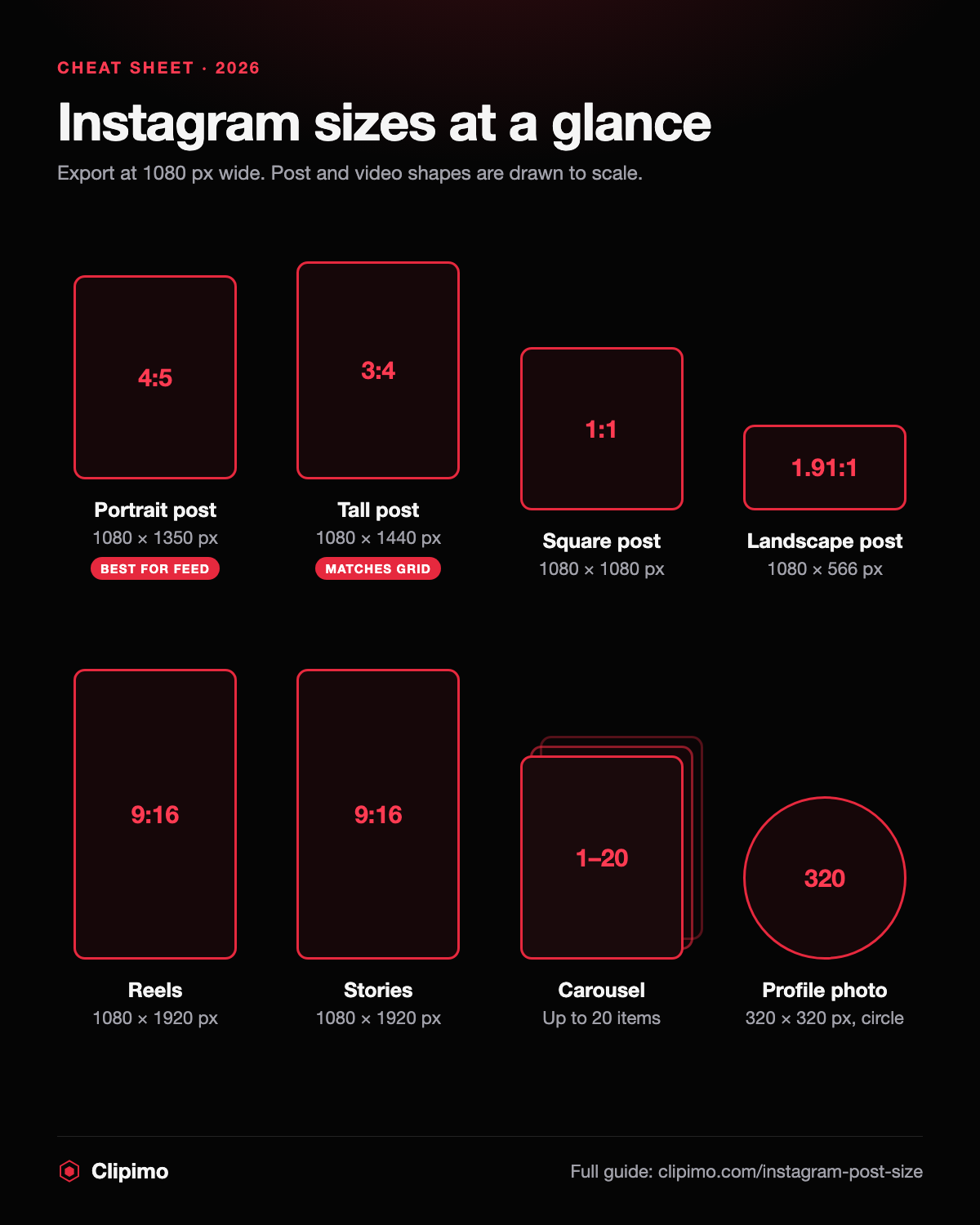
<a href="https://clipimo.com/instagram-post-size"><img src="https://clipimo.com/instagram-size-chart.png" alt="Instagram size chart: post, Reels, Stories, carousel and profile photo dimensions" width="1200" height="1500" loading="lazy" /></a>
<p><a href="https://clipimo.com/instagram-post-size">Instagram size guide by Clipimo</a></p>When you post from the app, the feed shows photos between 1.91:1 (wide) and 3:4 (tall) without cropping; anything wider or taller is cropped to fit. The profile grid now previews posts at about 3:4, so a 4:5 photo loses a thin strip on the left and right of its grid tile. Keep the subject centred and both views stay clean.
Instagram adjusts its formats from time to time (the 3:4 grid and 20-item carousels are recent changes), and some limits differ when posting through scheduling tools or the API. The upload screen always shows the crop that will actually be used.
Export at exactly 1080 px wide — Instagram resizes anything else, and upscaling a small image only makes it softer. Save photos as high-quality JPG in sRGB colour so they don't look washed out. For Reels and Stories, keep important text inside the centre safe area. And if you need the original file of a public post — your own, or one you have the right to use — paste its link into the downloader above to save it at the full size Instagram serves.
1080 × 1350 px (4:5). It fills the most space in the feed and works for ads.
Use 4:5 for the feed and ads. Choose 3:4 (1080 × 1440 px) if a perfect match with the profile grid matters more to you.
Both are 1080 × 1920 px, a vertical 9:16 format.
Up to 20 photos or videos when posting from the Instagram app.
It's shown at 320 × 320 px in a circle; upload a larger square image and keep the subject centred.