Landscape · 16:9
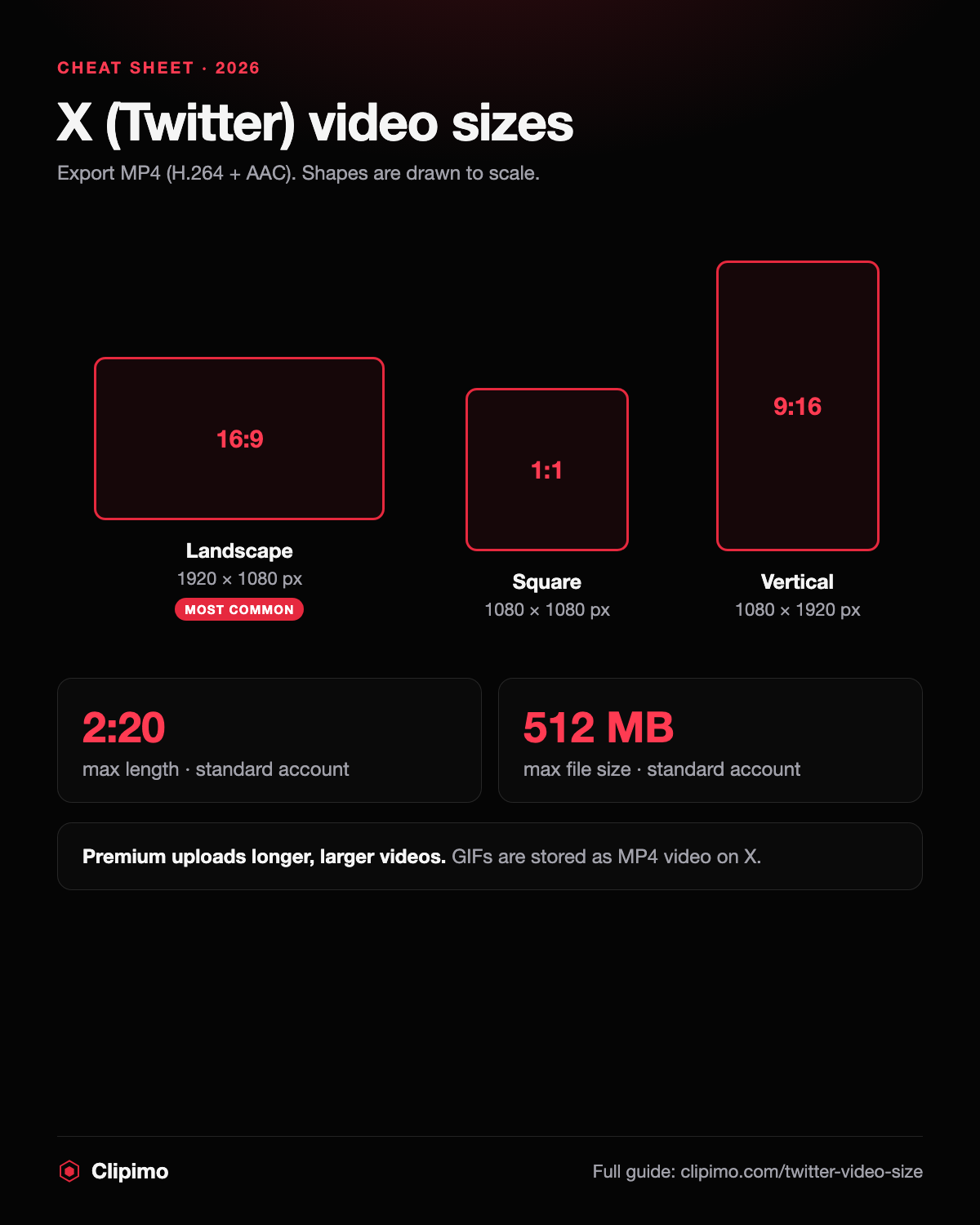
1920 × 1080 px (or 1280 × 720 px). The most common format for X videos.
Twitter · Guide
The right resolution, aspect ratio, length and file size for videos on X (Twitter) — landscape, square and vertical — plus what changes with Premium and why GIFs end up as MP4.
Updated:
No signup. · No watermark added. · Public media only.
Upload MP4 (H.264 video, AAC audio) at 1920 × 1080 px for landscape, 1080 × 1080 px for square or 1080 × 1920 px for vertical video. Standard accounts can post videos up to 2 minutes 20 seconds and 512 MB; Premium accounts can upload longer and larger files.
16:9 for landscape, 1:1 for square, 9:16 for vertical clips watched on phones.
H.264 video with AAC audio, 30 or 60 fps, at the sizes below.
Keep standard uploads under 2:20 and 512 MB, then post.
1920 × 1080 px (or 1280 × 720 px). The most common format for X videos.
1080 × 1080 px. Takes more space in the timeline than landscape.
1080 × 1920 px. Fills the screen in the full-screen video view.
Up to 2 minutes 20 seconds on standard accounts; Premium allows much longer uploads.
Up to 512 MB on standard accounts; Premium allows larger files.
MP4 or MOV with H.264 video and AAC audio. MP4 is the safest choice.
Animated GIFs are converted to MP4 video by X — that's why a saved “GIF” is an MP4 file.
Download the chart or use it on your own site, blog or class handout — free to use. If you embed it, please keep the credit link so readers can find the full guide.
<a href="https://clipimo.com/twitter-video-size"><img src="https://clipimo.com/twitter-video-size-chart.png" alt="X (Twitter) video size chart: landscape, square and vertical sizes, length and file limits" width="1200" height="1500" loading="lazy" /></a>
<p><a href="https://clipimo.com/twitter-video-size">Twitter (X) video size guide by Clipimo</a></p>The 2:20 and 512 MB limits apply to standard accounts. X Premium raises both — guides currently cite hours-long uploads and multi-gigabyte files, but the exact numbers vary by plan and app (web, iOS, Android), so check the composer for your account.
X adjusts its limits from time to time and they differ between plans and apps. The upload screen shows the length and size that actually apply to you.
Upload at the size you shot or the exact sizes above — X re-encodes everything, and upscaling only makes video softer. Keep captions inside the centre of the frame, since previews can crop the edges. If you need a copy of a public X video you have the right to use — your own post, for example — paste its link into the downloader above to save the MP4.
Up to 2 minutes 20 seconds for standard accounts. Premium accounts can upload much longer videos.
512 MB for standard accounts; Premium allows larger files.
1920 × 1080 px (16:9) for landscape, 1080 × 1080 px for square, 1080 × 1920 px for vertical.
MP4 with H.264 video and AAC audio.
X converts animated GIFs to MP4 video when they're posted, so the file you save is an MP4.